

If you’ve ever launched a modern PC game and been asked to choose between Vulkan and DX12, you’ve probably clicked one without really knowing what it does. You’re not alone. But that one click actually affects your frame rates, stability, and overall gaming experience. This guide gives you a clear, honest comparison so you can make the right call every time.
Vulkan or DX12 – Quick Answer
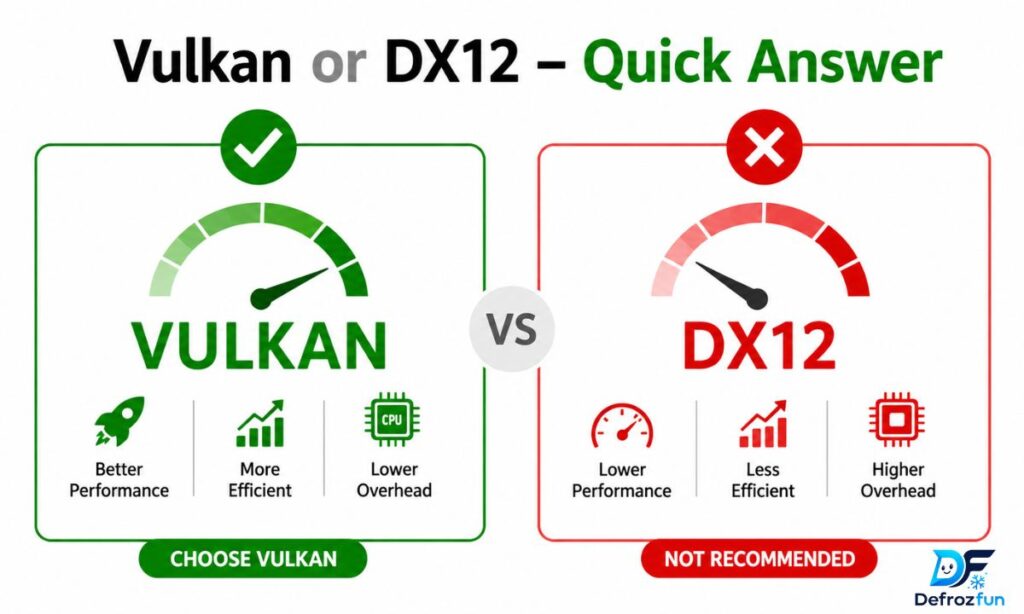
For Windows-only gaming on a modern PC: DX12 is generally the safer, more stable choice — especially for AAA titles built around Microsoft’s ecosystem.
For Linux, Steam Deck, cross-platform games, or older CPUs: Vulkan wins every time.
Neither API is universally faster. The better choice depends on your hardware, operating system, and the specific game you’re running. When in doubt, test both and stick with whichever gives you smoother frame times.
The Origin of Vulkan and DX12
Understanding where these two APIs came from helps explain why they behave differently today.
Where Did Vulkan Come From?
Vulkan was developed by the Khronos Group, a consortium of over 150 companies including AMD, NVIDIA, Intel, Google, and Valve. It launched in 2016 as the direct successor to OpenGL, which had been around since 1992. Vulkan was built on the foundation of AMD’s abandoned Mantle API, which was designed to give developers low-level GPU access with far less CPU overhead. Because of this AMD lineage, Vulkan has historically performed slightly better on AMD graphics cards, though modern NVIDIA drivers have largely closed that gap.
Where Did DX12 Come From?
DirectX 12 is Microsoft’s creation, released in 2015 alongside Windows 10. It replaced DirectX 11 with a fundamentally different architecture — one that lets developers speak directly to the GPU rather than going through a heavily abstracted driver layer. DX12 was built from the ground up for the Windows and Xbox ecosystem, which is why it integrates so cleanly with Microsoft’s tools and first-party titles.
Both APIs share the same core goal: get more out of your GPU by reducing unnecessary CPU overhead and enabling multi-threaded rendering.
Platform Focus – Vulkan vs DX12
This is probably the single biggest difference between the two APIs, and it matters a lot depending on how and where you game.
| Feature | Vulkan | DirectX 12 |
| Supported OS | Windows, Linux, macOS (via MoltenVK), Android | Windows 10/11 and Xbox only |
| Developer | Khronos Group (open consortium) | Microsoft (proprietary) |
| License | Open standard, royalty-free | Closed, Microsoft ecosystem |
| Steam Deck Support | Native and excellent | Via Proton (translation layer) |
| Ray Tracing | VK_KHR_ray_tracing extensions | DirectX Raytracing (DXR) — widely used |
| Best For | Cross-platform, Linux, mobile | Windows PC gaming, Xbox |
| Shader Compilation | Can stutter on first run | Similar issue in some UE5 games |
| Multi-threading | Excellent CPU multi-core use | Excellent CPU multi-core use |
Vulkan’s Platform Strength
Vulkan runs on almost everything. If you’re on Linux, it’s essentially your only modern option. On the Steam Deck, Valve uses Vulkan natively through Proton (a compatibility layer that translates Windows API calls into Vulkan), which is why most Windows games run reasonably well on SteamOS. Vulkan also powers Android gaming and is the go-to choice for any developer building cross-platform engines.
DX12’s Platform Strength
DX12 is locked to the Microsoft world — Windows 10, Windows 11, and Xbox. That’s a real limitation for multi-platform projects, but for Windows-only gamers it’s actually an advantage. Microsoft’s tight integration means DX12 benefits from mature driver support, especially with NVIDIA hardware. Features like DirectStorage (which slashes game load times), Variable Rate Shading (VRS), and Mesh Shaders are part of the DX12 Ultimate standard and have significant developer backing.
Which Should You Use?
There’s no single right answer, but here’s a simple framework:
Choose Vulkan if you:
- Are gaming on Linux or using the Steam Deck
- Have an older or weaker CPU (Vulkan has lower CPU overhead)
- Are playing a game where Vulkan is the primary/native renderer
- Need cross-platform compatibility in a development project
- Use AMD GPU hardware (historically a slight advantage)
Choose DX12 if you:
- Are on Windows 10 or 11 and targeting Windows-first AAA games
- Want ray tracing features through DXR (more widely supported in mainstream titles)
- Are using Unreal Engine 5 titles (DX12 is the primary renderer)
- Have a newer high-end PC where driver stability matters more than raw FPS
The honest answer for most gamers: Try both. Run a benchmark or play for 20 minutes with each, then check your frame rate stability — not just average FPS, but your 1% lows. A game that averages 120 FPS with constant stutters feels worse than one running a steady 105 FPS.
Common Mistakes with Vulkan or DX12
A lot of gamers and developers make the same avoidable errors when picking between these APIs.
- Only looking at average FPS — Frame-time consistency matters more. Watch for 1% lows and shader stutter before declaring a winner.
- Assuming Vulkan is always faster — Benchmarks often show Vulkan with a slight FPS edge, but that comes with more frame-rate variability. DX12 tends to be steadier, especially on newer rigs.
- Not accounting for the game’s implementation — A poorly optimized Vulkan renderer in one game will perform worse than a well-tuned DX12 path. The API is only as good as how the developer implemented it.
- Ignoring your GPU brand — AMD cards often favor Vulkan. NVIDIA cards generally have excellent DX12 driver optimization. Intel Arc GPUs have improved with both but lean better toward Vulkan on Linux.
- Removing Vulkan runtime libraries — Some users see “Vulkan Runtime Libraries” in their Windows programs list and try to uninstall them. Don’t. These are required components installed by GPU drivers; removing them can break games and software.
- Assuming DX12 = better visuals — Both APIs produce visually identical output in the same game. Switching between them changes performance, not graphics quality.
Also Read This: Skied or Skiied: Which Spelling Is Correct and Why? (2026)
Vulkan or DX12 in Everyday Examples

Here’s how the choice plays out in real games and scenarios:
Red Dead Redemption 2: Vulkan tends to deliver higher frame rates, but DX12 is more stable. Most players on high-end NVIDIA setups prefer DX12 here, while AMD users often report smoother results with Vulkan.
Cyberpunk 2077: Offers both APIs. On Windows with an RTX card, DX12 with ray tracing is the go-to for the full visual experience. On Linux or Steam Deck, Vulkan (through Proton) is what makes the game run at all.
The game PEAK: This co-op survival game prompts you at launch to choose Vulkan or DX12. Players with top-tier GPUs like the RTX 4090 have reported Vulkan feeling smoother post-patch, while mid-range cards like the RTX 3060 Ti often see fewer crashes on DX12. The right answer varies by setup.
Emulators (RPCS3, Dolphin, CEMU): These almost universally prefer Vulkan. The reason is cross-platform support and lower driver overhead, which is critical when translating console-specific rendering into PC graphics.
Linux gaming (any title): If a game doesn’t have a native Linux build, Proton translates its DX11/DX12 calls into Vulkan automatically. For native Linux games, Vulkan is the standard.
Vulkan or DX12 – Trends & Usage Data
The graphics API landscape in 2026 reflects the maturing of both technologies:
- DX12 dominates AAA Windows gaming. Most major studio releases — from Unreal Engine 5 titles to Microsoft first-party games — default to DX12. It’s the industry standard for high-budget, Windows-first development.
- Vulkan leads in cross-platform and open-source ecosystems. Game engines like Unity and Unreal Engine both support Vulkan for Android, Linux, and Steam Deck deployment.
- Steam Deck adoption has accelerated Vulkan growth. Valve’s hardware runs SteamOS with Proton, meaning Vulkan translations are now handling millions of gaming sessions that were originally written for DX12.
- Ray tracing is still DXR territory on Windows. While Vulkan has official ray tracing extensions, the majority of mainstream Windows titles implement hardware ray tracing through Microsoft’s DXR pipeline. Vulkan ray tracing is more common in cross-platform and professional rendering contexts.
- Shader compilation stutter remains a challenge for both. Unreal Engine 5 titles have faced criticism for shader stutter on DX12. Some developers are moving toward precompiled shader caches to solve this on both APIs.
Conclusion
Vulkan and DX12 are both excellent, modern low-level graphics APIs — and neither is strictly better than the other. DX12 is the right default for most Windows PC gamers, especially if you’re playing current AAA titles on NVIDIA hardware and want stable, feature-rich rendering with ray tracing support. Vulkan is the right choice for Linux, Steam Deck, AMD GPUs, older CPUs, and any cross-platform development scenario.
The smartest move is to stop treating this as a permanent decision. When a game gives you the choice, try both, check your frame-time stability, and use what actually feels smoother on your machine. That’s it. No technical expertise required.

Daniel Brooks is a passionate writer and digital content creator dedicated to sharing insightful, engaging, and informative articles across multiple niches. With a strong interest in technology, lifestyle, trending topics, and online media, Daniel Brooks focuses on delivering well-researched and reader-friendly content that inspires and informs audiences worldwide.